Pokémon Winds and Waves Switch 2 Requirements and Storage
What you need to play Pokémon Winds and Waves: Switch 2 only, download size not yet published, 256 GB internal storage, and why only microSD Express cards work.
By Winds & Waves Guides TeamPublished 4 min read
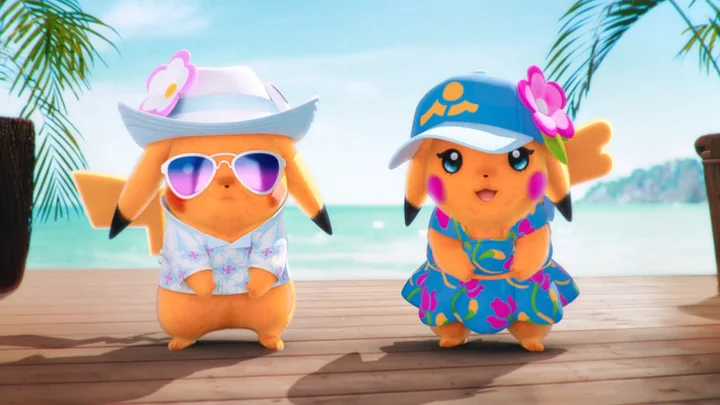
Image: © The Pokémon Company / Nintendo / Game Freak, from the official Pokémon Winds and Pokémon Waves Announcement Trailer
Affiliate links: As an Amazon Associate I earn from qualifying purchases. Buying through our links costs you nothing extra. How this works.
On this page
Pokémon Winds and Pokémon Waves need a Nintendo Switch 2, and no version for the original Switch has been announced. The download size has not been published as of November 23, 2026. This page covers what the console needs, how much space you have to work with, and which memory cards actually work for games on Switch 2.
Quick facts
- Platform
- Nintendo Switch 2 only
- Switch 1 version
- None announced
- Download size
- Not published yet
- Switch 2 internal storage
- 256 GB
- Storage expansion
- microSD Express cards only, up to 2 TB
- Release window
- 2027 (official)
Do you need a Switch 2?
Yes. Nintendo’s store listings for both versions name only Nintendo Switch 2, and The Pokémon Company presented the games as Switch 2 titles when they were revealed on February 27, 2026. Unlike Pokémon Legends: Z-A, which launched on both the original Switch and Switch 2, there is no Switch 1 edition of Winds or Waves in any official listing. If you are still on an original Switch, plan on upgrading before the 2027 launch. Our release date guide tracks the date itself.
How big is the download?
Nobody outside Nintendo knows yet. Serebii’s game page lists the file size as unknown, and the official store pages do not give a figure. Nintendo usually adds the required space to its eShop listings closer to launch, so expect the real number around the time pre-orders open on the eShop.
Nintendo’s own listing does carry a general note telling buyers to make sure they have enough free storage and that an additional storage device may be needed. That wording appears on many Switch 2 listings, so it does not tell us the game is unusually large. It does mean you should not assume it will fit if your console is nearly full.
How much space does Switch 2 have?
The Switch 2 ships with 256 GB of internal storage, eight times the 32 GB of the original Switch. Some of that is used by the system itself, so the usable amount is a little lower. For most people that is room for a healthy library, but large third-party games and day-one patches add up fast, and a new Pokémon generation is a game you will likely keep installed for a long time.
You can check what you have left in System Settings, under Data Management. That screen also lets you archive software you are not playing, which frees the space but keeps your save data and the icon on the Home menu.
Which memory cards work: microSD Express only
This is the part that catches people out. Nintendo’s support pages state that Switch 2 only works with microSD Express cards for storing games. Ordinary microSD cards, including the ones many people used in their original Switch, will not work for downloadable software on Switch 2. Nintendo says any card meeting the microSD Express standard, up to 2 TB, is compatible.
A few points from Nintendo’s microSD Express FAQ worth knowing:
- When a microSD Express card is inserted, it becomes the default place for downloaded software, updates and DLC.
- Save data is not stored on the card. It always stays in the console’s system memory.
- microSD Express cards carry a small “EX” mark. Check for it on the packaging before you buy.
Recommended microSD Express cards
These are picked on specs and on being sold as Switch 2 compatible. We have not tested them ourselves. Capacity is the main choice: a larger card means less archiving later.
SanDisk microSD Express Card for Nintendo Switch 2 (256 GB)
Best for: Most players
Officially licensed by Nintendo for Switch 2, and it doubles the console's built-in space.
- Licensed for Nintendo Switch 2
- microSD Express standard with the EX mark
- Doubles total storage
- Express cards cost more than regular microSD
Samsung P9 Express microSD Card for Switch 2 (256 GB)
Best for: An alternative brand
A microSD Express card from a major memory maker, for players who want an alternative to the licensed SanDisk.
- microSD Express standard
- Widely sold
- Not Nintendo licensed
- Fewer capacity options than some brands
Lexar PLAY PRO microSD Express Card (512 GB or 1 TB)
Best for: Big digital libraries
Higher capacities for anyone who downloads most games instead of buying cartridges.
- Large capacities
- Sold for Switch 2
- Not Nintendo licensed
- Large cards are a bigger upfront cost
For more add-ons, see our best Switch 2 accessories for Winds and Waves guide.

Physical copy, game-key card or digital?
Switch 2 has two physical formats: full game cards that hold the whole game, and game-key cards, which act as a license and download the game on first use. The Pokémon Company and Nintendo have not said which format Winds and Waves will use. If it turns out to be a game-key card, you would need free space for the download either way, so the storage advice above applies to every version. Our pre-order guide covers editions and retailers as they are confirmed.
Save data and cloud backups
Because Switch 2 keeps save data in system memory, a memory card does not protect your progress. Nintendo Switch Online includes Save Data Cloud backup, but not every game supports it, and each game’s store page lists whether it does. Some earlier Pokémon games on Switch did not support it. We have not confirmed cloud backup support for Winds and Waves on an official listing yet, so check the Nintendo Switch Online section of the eShop page before you rely on it.
Checklist before launch
| Question | Answer today |
|---|---|
| Console needed | Nintendo Switch 2 |
| Download size | Not published |
| Built-in storage | 256 GB |
| Card type for games | microSD Express only |
| Max card size | 2 TB |
| Save data location | System memory, not the card |
| Physical format | Not announced |
Want the rest of the picture? Read our region guide, see the new Pokémon revealed so far, or follow the news page for the file size once Nintendo lists it.
More Pokémon Winds and Waves guides
 GearBest Switch 2 Accessories for Pokémon Winds and WavesThe Switch 2 accessories worth having for Pokémon Winds and Waves: microSD Express storage, a Pro Controller, a case, a screen protector, audio and power.Read guide
 GearIs Pokémon Winds and Waves on Switch 1?Pokémon Winds and Waves are Nintendo Switch 2 exclusives with no Switch 1 version. What that means for original Switch owners, upgrades, saves and trading.Read guide
 NewsPokémon Winds and Waves Gameplay: Every Confirmed FeatureEvery Pokémon Winds and Waves gameplay feature confirmed so far: open world, Pokémon ecosystems, Switch 2 only, single player listing and what is still unknown.Read guide
 NewsPokémon Winds and Waves Leaks and Rumors RoundupEvery widely reported Pokémon Winds and Waves leak, from the island map to weather moves and Legendaries, who reported it and what is actually confirmed.Read guide
 PokédexNew Pokémon in Winds and Waves Revealed So FarEvery new Pokémon officially revealed for Pokémon Winds and Waves so far, from the three starters to Mr. Windychu and Ms. Wavychu, plus the unconfirmed leaks.Read guide
 EditionsPokémon Winds and Waves Pre-Order Guide and EditionsPokémon Winds and Waves pre-orders: which editions exist, official price status, pre-order bonuses, eShop payment timing and where to reserve each version.Read guide